
My thoughts on purchasing antivirus software
Author

Date Published
Time to Read
As a local computer technician, you might expect me to push you to buy the most expensive security software on the market. But the truth is, I don’t want most of my customers to buy antivirus.
For the average day-to-day computer user, the built-in Windows Defender is plenty. The catch?
It needs to be paired with the best security tool available: a healthy dose of common sense and a little bit of suspicion.
As long as you practice basic internet safety, you are generally in good hands. My standard advice is:
- Don’t click on suspicious or unexpected links in emails or texts.
- Audit your machine: Make sure you actually recognize and use the programs installed on your computer.
- Check your browser: Keep an eye on your browser extensions and remove anything you didn’t intentionally install.
So, why do I partner with Malwarebytes?
If I don’t think everyone needs to buy an antivirus, why am I an official Malwarebytes partner?

Simple: It is a great tool for my job.
Malwarebytes Techbench has proven to work well for my support calls, is easy to run on an infected system, and allows me to diagnose non-virus issues.
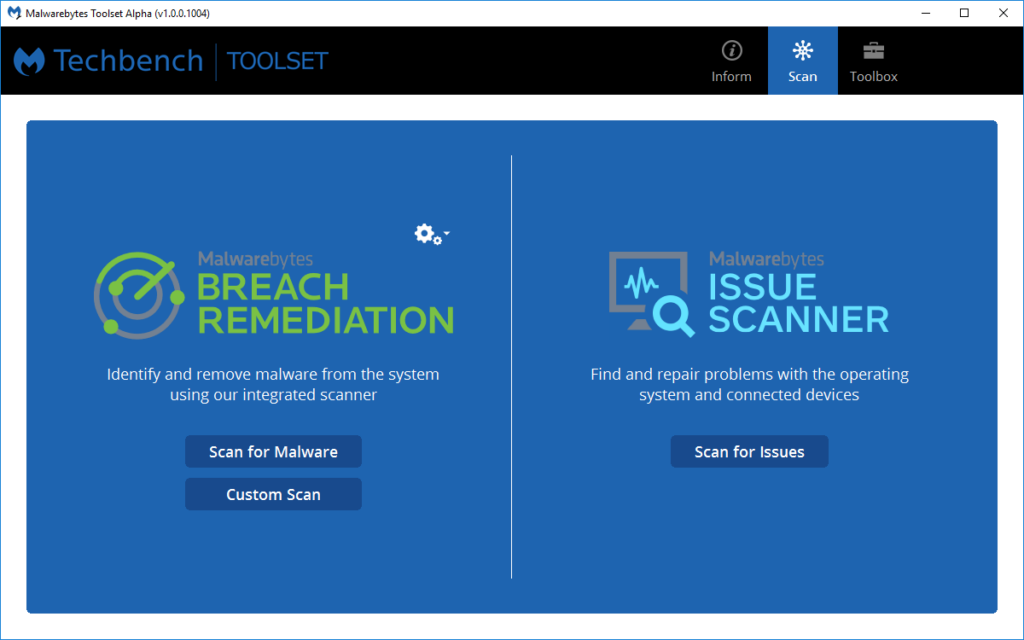
The only reason I am offering Malwarebytes to my customers directly is because I can offer a discount due to being a partner, and I can provide ongoing support for it as well.
Also, you can support a local business ~:P
Who should buy an Antivirus?
While Windows Defender is great for the savvy user, there are absolutely situations where I recommend an extra layer of paid protection. I usually advise purchasing a Malwarebytes license if you share a computer with people who are more prone to falling for phishing links or deceptive pop-ups, such as:
- Young children who are clicking around downloading games.
- Elderly relatives who might be easily tricked by scam warnings.
Exploring Your Options
If you fit into the category above and want to purchase it. You are welcome to.
However, even if you are worried about a click-happy relative, a recurring subscription isn’t your only option.
I also offer custom PC configuration services. For a one-time fee, I can come in and configure the computer’s user permissions and security settings to lock it down against accidental malware downloads, which is often more cost-effective than paying for a yearly software subscription.
If you are wondering what route is best for your family’s computers, just reach out!
What About Small Businesses?
If you are running a business, my advice shifts.
Instead of purchasing an antivirus, I recommend if anything getting a security management platform like ThreatDown or using Microsoft tools.
More about threatdown 👇
ThreatDown is purpose-built for businesses. Instead of treating every computer in your office as an isolated island, it allows for:e
- Centralized Management: We can monitor the health and security of every computer in your office from one single dashboard.
- Fewer Interruptions: It runs silently in the background without bothering your employees with pop-ups or update requests.
- Advanced Protection: It offers “Endpoint Detection and Response” (EDR), which essentially means if one computer in your office clicks a bad link, the system isolates it immediately before it can spread to your servers or other employees.
If you are a local business owner looking to secure your office, let’s talk. We can figure out if a custom PC lockdown, standard licenses, or a dedicated ThreatDown environment is the smartest, most cost-effective move for your specific setup.
2 responses to “Antivirus”
-

Comments are fun
-
Replies are too 🙂
-
Leave a Reply